
Generating irresistible social media engagement bait with Python and GPT
Let's create a Jupyter notebook for generating stunning cover images and writing engaging tweets!

I generated the following tweets from a Python Jupyter notebook connected to the OpenAI API. In this post, I will walk you through my notebook step-by-step and show you how to write your own notebook to create engaging tweets!


Setting up a development environment
To get started with this project, you will need to install Python and Jupyter Lab—in that order, since Python is a requirement for installing Jupyter Lab. I won’t give detailed instructions here, but you can find the Python installation process here and the Jupyter Lab installation process here.
(There are some services like Binder that let you develop Jupyter notebooks in the cloud without a local install, but I haven’t tested them with my notebook, and they may or may not be fully compatible with it.)
You will also need to install the openai, wonderwords, urllib, and IPython libraries. You can install these libraries using the following pip commands:
pip install openai
pip install wonderwords
pip install urllib
pip install IPython
Additionally, you will need an OpenAI API key, which will require signing up here and providing payment information. API requests do cost money, though it amounts to just pennies per tweet.
My notebook assumes you have your API key saved in a variable named OPENAI_API_KEY. You can save this as a regular variable in your local copy of the notebook or as a hidden environment variable in your virtual environment. (The latter is considered best practice, although it’s a bit involved and maybe not for Python noobs.)
Using the GPT API to generate tweet text
My notebook connects to the davinci-003 model using the OpenAI API. It takes an iterative approach, prompting the model for outputs and then using those outputs to create more prompts and get more outputs. For my notebook, I wanted to generate “improv pun games” that Twitter users could reply to. However, the method I describe can be adapted for creating other types of tweets.
To get started, let’s save our first prompt:
prompt_1 = "Let's create a simple improv pun game. In a pun game, players are presented with a scenario that combines two unrelated concepts, and they have to respond to the scenario with a funny pun. For instance, in 'Sex With Me', the prompt is, 'Sex with me is like [a random object]...', and they must complete the prompt in a funny way. In The Soup Game, the prompt is, 'Waiter, there's [a random object] in my soup!', and the player must provide a funny response in the character of the waiter. Please suggest four pun games. Don't include duplicates, don't include line breaks, and don't repeat any of the provided examples. Format your response as a semicolon-separated list. For example, Job Interview: Can you explain why you quit your last job as a [random object] operator?;"
Next, we will connect to the API and prompt it using our prompt:
import openai
openai.api_key = OPENAI_API_KEY
output_1 = openai.Completion.create(
  model="text-davinci-003",
  prompt=prompt_1,
  max_tokens=250,
  temperature=0.7
)
The API returns a special object type with its own methods. For our purposes, we’re only interested in .choices[0].text, which returns the model’s text output. We’ll also use split to divide the text string at the semicolons to create a list, and we’ll use strip to remove leading and trailing whitespace. Then we’ll print each item in the list.
game_list = output_1.choices[0].text.split(";")
game_list = [x.strip() for x in game_list]
n = 1
for x in game_list:
    print(str(n) + ". " + x)
    n = n+1
This code returns the following output:
1. In the Dark: What did you do when the power went out and you were left in the dark with just [a random object]?
2. The Heist: What do you plan to do with this [random object] you've stolen?
3. The Miracle: How did you manage to make [a random object] appear out of thin air?
These are pretty great Tweet ideas! Here’s some code to allow the notebook user to select their favorite from the list:
#Prompt user to select a game
while True:
    try:
        x = int(input('Type a number to select a game: '))
        if 1 <= x <= len(game_list):
            break
        else:
            print("Invalid input!")
    except:
        print("Invalid input!")
selected_game = game_list[x-1].split(": ")
print(selected_game)
This code prompts the user to select a game. If the user types “1”, for example, the selected game is:
['In the Dark', 'What did you do when the power went out and you were left in the dark with just [a random object]?']So far, so good! Now we need to select a random object. Fortunately, there’s a Python library for that!
from wonderwords import RandomWord
r = RandomWord()
some_nouns = r.random_words(20, include_parts_of_speech=["nouns"])
n=1
for x in some_nouns:
    print(str(n) + ". " + x)
    n = n+1
This code prints a numbered list of 20 random nouns:
1. pollutant
2. toothbrush
3. applause
4. regret
5. sociology
6. car
7. monkey
8. gossip
9. keep
10. usual
11. stake
12. gravy
13. mosquito
14. cheer
15. cookbook
16. competition
17. linguist
18. pharmacopoeia
19. tremor
20. dissonance
We then prompt the notebook user to select a noun:
#Prompt user to select a noun from the list
while True:
    try:
        x = int(input('Type a number to select a noun: '))
        if 1 <= x <= len(some_nouns):
            break
        else:
            print("Invalid input!")
    except:
        print("Invalid input!")
selected_noun = some_nouns[x-1]
print(selected_noun)
For instance, if the user types “15”, the selected noun is cookbook.
Now we combine our game string with our noun string, handling cases where the noun starts with a vowel or where there’s some variation in how output from the API is formatted:
#Construct final text prompt for the game
if selected_noun[0] in "aeiou":
    selected_game[1].replace("A [random object]","An "+selected_noun)
    selected_game[1].replace("a [random object]","an "+selected_noun)
    selected_game[1].replace("[A random object]","An "+selected_noun)
    selected_game[1].replace("[a random object]","an "+selected_noun)
selected_game[1] = selected_game[1].replace("[random object]",selected_noun)
selected_game[1] = selected_game[1].replace("[a random object]","a "+selected_noun)
if not selected_game[1][-1] in ".,;:?":
    selected_game[1] = selected_game[1] + "..."
    desired_engagement = "completions"
else:
    desired_engagement = "answers"
print(selected_game[1])
This code gives us the output, What did you do when the power went out and you were left in the dark with just a cookbook?
And finally, we can formulate our final tweet text:
tweet = "Let's play the pun game '"+selected_game[0]+"'! I want to hear your punniest "+desired_engagement+".\n\n"+selected_game[1]
print(tweet)
We get the output,
Let’s play the pun game ‘In the Dark’! I want to hear your punniest answers.

What did you do when the power went out and you were left in the dark with just a cookbook?
Just what we’re looking for!
Iteratively using the OpenAI API to generate a cover image
Now we will use the OpenAI API to generate a cover image for our tweet. This will be an iterative process in which we will first ask the API for a tweet concept, then we will ask the API for an image generator prompt, and finally we will ask the API for an image. Let’s get started with our first prompt!
prompt_2 = "I am going to post an improv pun game called '" + selected_game[0] + "' on Twitter which will ask followers to suggest comedic answers to the prompt, '" + selected_game[1] + "'. Suggest a concept for a fun image that might serve as cover art for this post. Make sure not to include any text on the image!"This code constructs a prompt using the name of our selected game to ask for a cover image concept. We query the API and save the text output:
output_2 = openai.Completion.create(
  model="text-davinci-003",
  prompt=prompt_2,
  max_tokens=250,
  temperature=0.7
)
img_concept = output_2.choices[0].text.strip()
print(img_concept)
In this example, the suggested image concept is, A person standing in a dark kitchen holding a cookbook and wearing a headlamp.
Now we ask for an image generator prompt, providing examples of the kind of output we want. I used some “high quality prompt” examples I found online.
prompt_3 = "Examples of high quality prompts for text-to-image models (Stable Diffusion, midjourney or Dalle2) are: \n\
\
Concept: photorealistic portrayal of a smiling elderly French woman. \n\
Prompt: street style photo of an elderly french woman with deep wrinkles and a warm smile, walking down the streets of soho, wearing a white gucci blazer made of cotton & black eyeglasses, natural morning lighting, shot on Agfa Vista 200, 4k --ar 16:9 --stylize 1000 \n\
\
Concept: painting of the living room of a cozy wooden house with a fireplace at night. \n\
Prompt: the living room of a cozy wooden house with a fireplace, at night, interior design, d & d concept art, d & d wallpaper, warm, digital art. art by james gurney and larry elmore \n\
\
Give me an example of a high-quality natural language prompt for the following concept. Avoid negative aesthetic words like 'distorted', 'blurry', and 'ugly'. Also avoid language suggestive of violence or sexual arousal. Avoid repetition and keep the prompt under 50 words. Provide a few descriptive details that will make the scenario or setting visually easier to identify. Specify an artistic style and a mood. \n\
Concept: " + img_concept
We submit this query to the API:
#Query davinci-003 with this prompt
output_3 = openai.Completion.create(
  model="text-davinci-003",
  prompt=prompt_3,
  max_tokens=250,
  temperature=0.7
)
img_gen_prompt = output_3.choices[0].text.strip().replace("Prompt: ","").replace(".","")
print(img_gen_prompt)
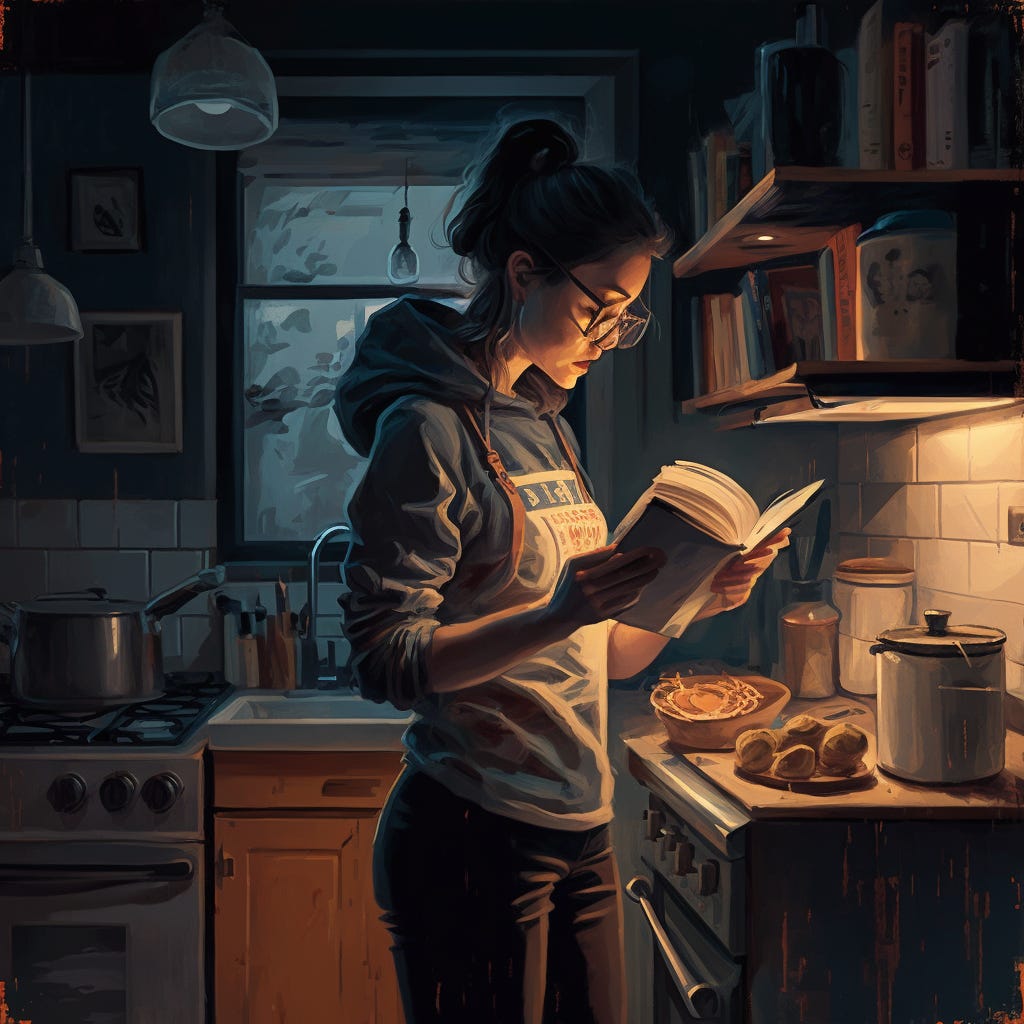
It returns, Person standing in a dark kitchen, illuminated by a headlamp, reading a cookbook, deep shadows, detailed textures, warm colors, modern style, bright headlamp, realistic lighting, well-crafted composition, artwork by Tim Biskup.
Finally, we use this prompt to generate an image from our image generator of choice. I prefer MidJourney AI. However, note that Midjourney AI has no official public API, so you will have to make your request from the MidJourney Discord bot manually if you go that route. Here is the stunning MidJourney output:
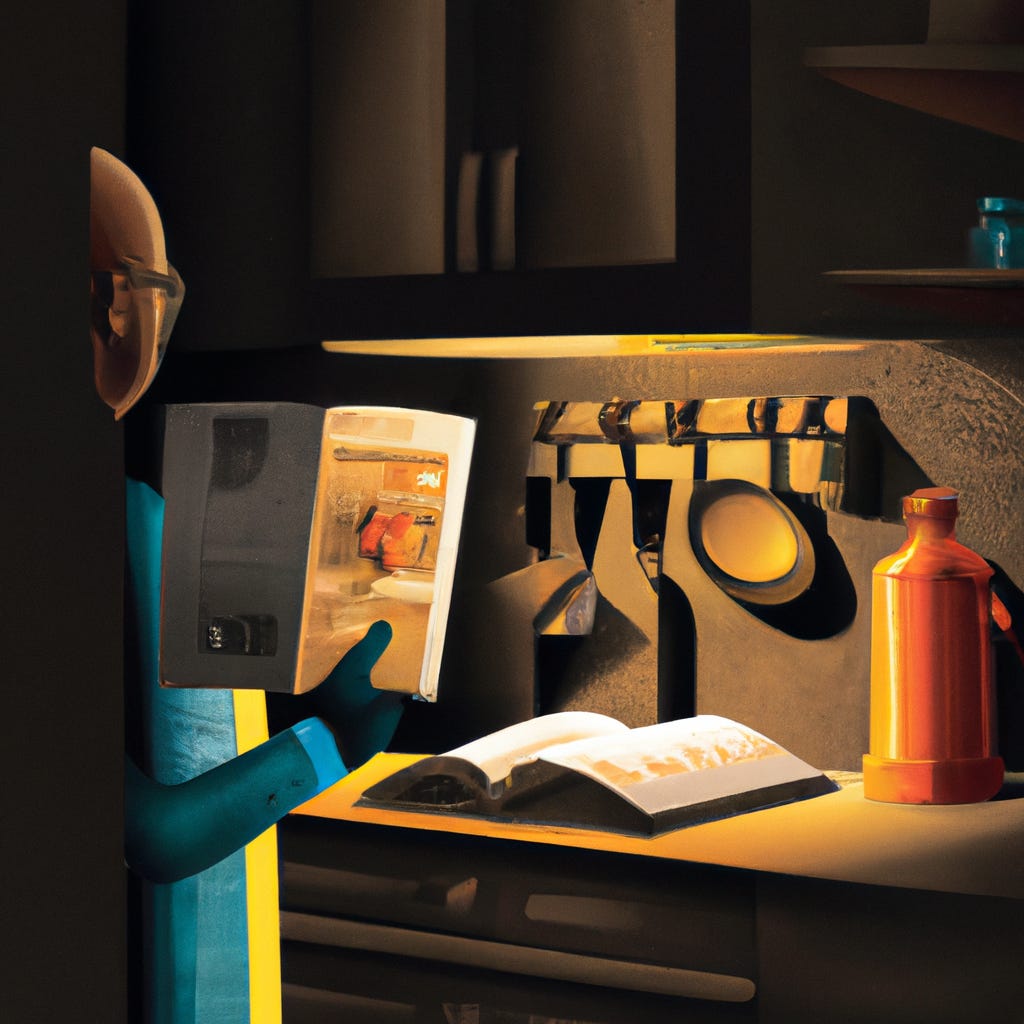
If we want full automation, we can request an image from Dall-E 2 through the API:
from IPython.display import Image, display
response = openai.Image.create(
  prompt=img_gen_prompt,
  n=1,
  size="1024x1024"
)
image_url = response['data'][0]['url']
display(Image(url=image_url))
The image output from Dall-E 2 is definitely inferior to the image output from MidJourney, but it isn’t too bad. Definitely tweetable.
As a useful aside, MidJourney V5, which was just released, seems to be much better than previous versions at understanding natural language prompts. So it’s possible that you may now get even better results prompting the image generator with the shorter img_concept or even the player prompt saved in selected_game[1] than with the longer, sometimes overspecified img_gen_prompt.
Conclusion
This method definitely isn’t going to completely replace your social media manager. It still requires human oversight. A human is needed to select the best of the options generated by the AI, and then to actually post the content to social media accounts. It’s likely this would take about 10 minutes each time you post.
With some additional development, it’s likely that the actual posting could be automated. However, most of the social media platforms require payment to make automated posts through their APIs. (Rumor has it that Twitter is going to charge $100 a month!)
Still, this project demonstrates that it’s definitely possible to leverage Python code and AI tools to increase a social media manager’s productivity. If you find a social media formula that successfully drives engagement, you can replicate it at scale.
Are you interested in automating your social media strategy? As it happens, I’m looking for a job. Contact me and offer me one?